
Guide
Type a Category label, then filter Meds
Crowded Meds list? Open Add Medicine or Edit Medicine, type a Category label, Save, then tap that name under Categories to filter.
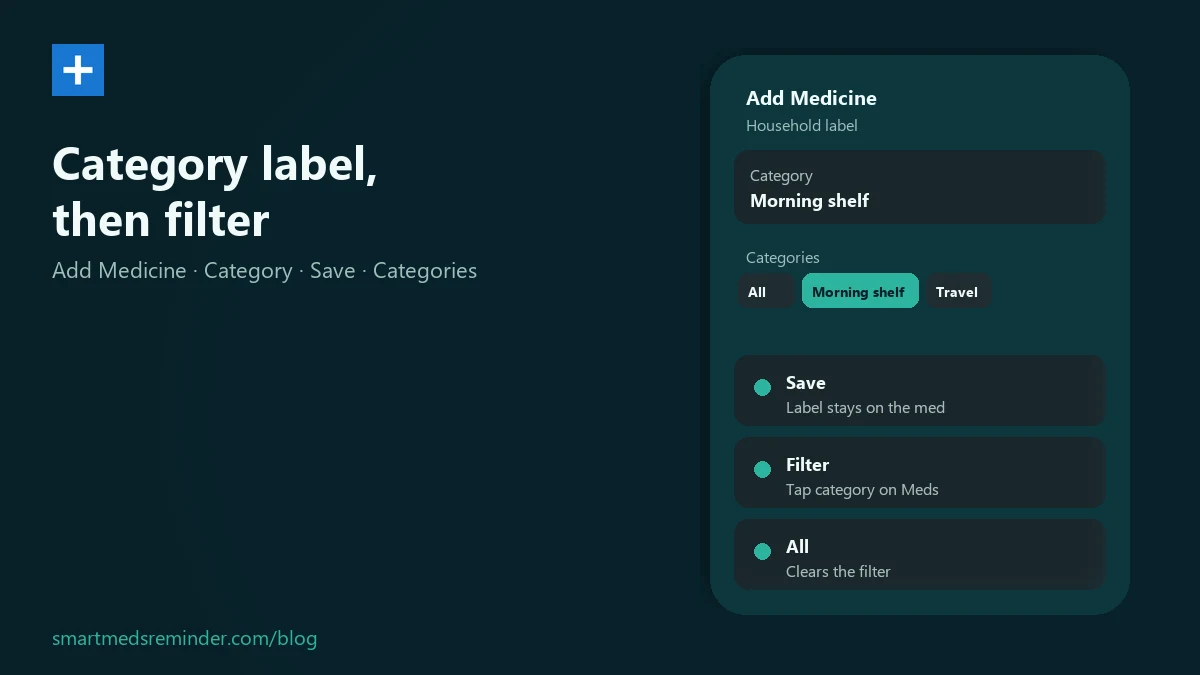
Set a Category label and filter the list
- On the Meds list, tap + to open Add Medicine, or open an existing med with Edit Medicine.
- In the Category field, type a household label you invent - or tap a suggestion from categories you already used.
- Tap Save. A category is required before save.
- Back on Meds, under Categories, tap that name to show only matching medicines. Tap All to clear the filter.
The app stores the label on that medicine and filters the list by exact match. It does not classify drugs medically - you choose the organization name.
Need person or household-group labels on one phone? See caregiver household med reminders. For day and time schedules (separate from Categories), see the weekly medication schedule guide. After you mark doses, medication intake journal covers the log.
Limitations
- This is list organization only - not medical coding or clinical grouping advice.
- The filter matches the exact Category text you saved.
- Package-only inventory entries without a dosage schedule do not appear in the Categories filter on Meds.
- There is no separate category manager. To rename, edit each medicine's Category field and Save.
- Filter by day of week is a different control - it is not the same as Categories.
Smart Meds Reminder is a medication reminder and log. It is not medical advice and does not replace a qualified clinician or pharmacist.
FAQ
How do I change a category later?
Open the medicine with Edit Medicine, change the Category field, then Save. There is no separate category manager.
Is Categories the same as Filter by day of week?
No. Categories filters by the Category label you typed. Filter by day of week is separate. Day/time depth: weekly medication schedule.
Can I use a person's name as a category?
Yes, as a household logistics label in Category. For multi-person setup on one phone, see caregiver household med reminders.