
Guide
Medication reminder notifications not showing on Android
If reminders stay silent, allow notifications, check precise reminder times, then open Settings → Test Notifications and run a test.
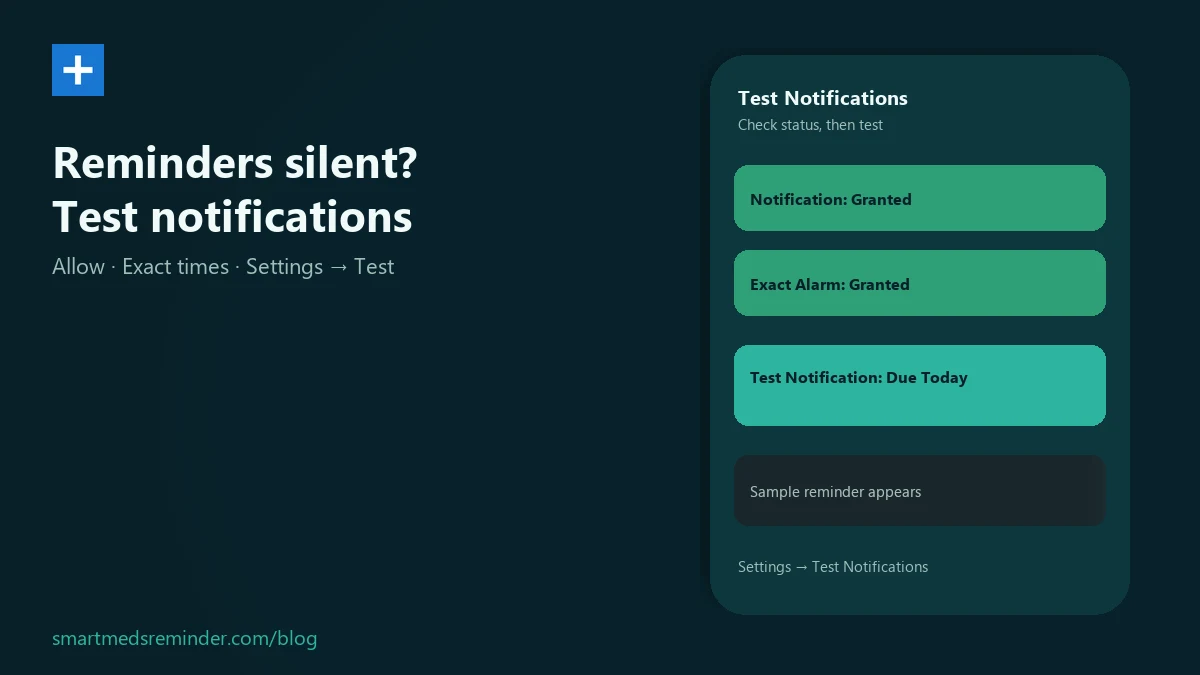
Turn notifications on and test them
- Open Smart Meds Reminder. On a newer Android phone, the system may ask you to allow notifications - allow them when you see that prompt.
- On the Meds list, if notifications are off and you already have a medicine saved, you may see a card titled Never miss a dose. Tap the red Notification Permission Status: Not Granted button to allow notifications or open app settings.
- Open Settings (gear), then tap Test Notifications.
- Read the status buttons. Green means granted; red means not granted. Use Notification Permission Status to turn reminders on again if needed.
- Check the Exact Alarm Permission line (green or red). On Android 12 and newer, your phone must allow the app to schedule precise reminder times. If it shows not granted, reopen the app so Android can offer the alarms setting, or enable alarms and reminders for this app in system settings.
- Tap Test Notification: Due Today. A sample reminder should appear right away if notifications are allowed.
Still setting up your first schedule? Use the medication reminder on Android guide. When you get a reminder, how to use Taken and the snooze buttons is in the medication reminder snooze guide - this page only covers getting notifications to show.
Limitations
- This guide only covers turning notifications on so reminders can show.
- If notifications stay off for the app, reminders will not appear.
- If precise reminder scheduling is disabled for the app, reminders may not be set for the planned times.
- The Exact Alarm Permission label on Test Notifications is shown in English, including Granted / Not Granted.
- Do not assume a phone restart alone restores medicine reminder times. Open the app again and run a test notification.
- This guide does not invent manufacturer battery or autostart menus inside the app.
Smart Meds Reminder is a medication reminder and log. It is not medical advice and does not replace a qualified clinician or pharmacist.
FAQ
I do not have a reminder set up yet. Is this the right guide?
No. This guide is for reminders that do not show. To create a medication reminder schedule, see medication reminder on Android.
What should I do when I get a reminder?
This page only covers getting notifications to show. When you get a reminder, how to use Taken and the snooze buttons is in the medication reminder snooze guide.
Why does Exact Alarm Permission look English on my phone?
On the Test Notifications screen that status line is shown in English, including Granted or Not Granted. Use it as a green or red status check, then allow alarms and reminders for the app in system settings if needed.
Do reminders come back automatically after I restart the phone?
Do not count on a restart alone. Open the app again, confirm notifications and precise reminder times are still allowed, and run Test Notification: Due Today.